Banner

Sunday, February 17, 2013

How to Play PowerPoint on Sony Xperia Z Smartphone

Play PowerPoint on Sony Xperia Z
How to view PowerPoint on Xperia Z?
Good to be back! Just return from a 10-day vacation and continue to write something useful for everyone.

Today we'll focus on Sony's Xperia Z, a new smartphone which was introduced at CES 2013 last month. This gadget comes up with a 5-inch 1080p screen, a quad-core S4 Pro processor and a 13 MP rear camera. Besides, it brought more surprises to audience: 
  • Mobile BRAVIA Engine 2, a technology to make video content more bright and colorful.
  • Battery STAMINA Mode. When this mode is turned on, standby time can be extended up to 3 times longer than normal mode.
  • Dust and water resistance. The Xperia Z can survive in clean water for up to 30 minutes without any problems.
The Sony Xperia Z will hit European stores first on Feb 21. Thought the release day in the US is still unknown, we could image that the device is an edge tool for watching HD movies and playing HD games. Then how about playing PowerPoint on Sony Xperia Z? Android users may choose some Office apps from Google Play, such as Documents To Go, Kingsoft Office and so on. These apps can help users view PPT files on their Android devices. However, most of them may lead to the losses of animated effects. There are some leaked rumors on Microsoft Office for Android, but we may still have to wait for a long time before it's available.

Here I'll show you another way to watch PPT on Xperia Z. Since it's wonderful for playing HD videos on the phone, why not convert the PowerPoint presentations to video format and put them on it? To do the trick we need a tool --- the free download PowerPoint to Xperia Z video converter.

The conversion process is shown below:

Step 1 Download, install and launch PPT to Xperia Z video converter.

Step 2 Click "Add" button to import PowerPoint files to the converter. Batch importing is also supported.
Import PowerPoint files
Step 3 Click "Profile" drop-down menu and choose a suitable output video format. Since the Xperia Z can play HD videos, here we select "HD H.264 MPEG-4 AVC Video (*.mp4)".
Output format setting
Output video format setting
Step 4 To make sure the exported video can be played perfectly on Xperia Z, click "Settings" button and enter "Profile" panel. The phone's resolution is 1920 * 1080 pixels, we set the video size as “1920  * 1080” and audio codec as “AAC“.
Advanced setting
Advanced setting
Step 5 Click the big and black "Start" button to start conversion. Depends on file size and video format, it usually takes a couple of minutes to convert a PowerPoint file to video. When the conversion is finished, just connect the Xperia Z to computer with USB cable and transfer the video. Enjoy watching PowerPoint on Sony Xperia Z!


Related articles:

CES 2013: 5-Inch Sony Xperia Z Announced, Supports Battery STAMINA Mode


Monday, February 4, 2013

Starts from $9.95, Get Moyea Converters on Valentine's Day 2013

Moyea promotion plan of Valentine's Day 2013
Today is February 4, 10 days left before Valentine's Day. As a festival in honor of Saint Valentine, people usually send presents to their lover on that day, like roses, chocolate, candlelight dinner or even a wedding ring. Besides, do you know any other less expensive but meaningful gifts for your honey?

Let's say, a video introduces the sweet love between you and her/him. You don't need a camcorder to shoot videos, since you must have stored lots of pictures of you both, it's quite easy to convert a video from a PowerPoint file with pictures and words.

Of course, you may need a PowerPoint to Video converter to do the trick. Moyea Software, one of the lead video converter providers In the industry, has carried out a promotion plan for Valentine’s Day 2013. The whole campaign will be divided into 3 parts: Sweet Deal, Sweet Bundle and Sweet Resources. The company hopes to help consumers spend a special and unique Valentine's Day with the help of its products.

Part 1: Sweet Deal
Content: $9.95 Moyea PPT to Video Converter
Date: Feb 14 - 16
sweet deal
Sweet deal -- $9.95 for Moyea PPT to Video Converter
Originally priced at $49.95, Moyea PPT to Video Converter, will be sold at incredible $9.95 for 3 days only. The campaign will start on Feb 14 and end on Feb 16. As a professional PowerPoint converter, Moyea PPT to Video Converter is ale to convert all kinds of PowerPoint files to different video formats. With the help of it, you can easily publish your home-made Valentine's Day PowerPoint to YouTube, send the video link to your lover and give her/him a big surprise!

Part 2: Sweet Bundle
Content: $49.95 Moyea PPT to Video Converter + Moyea SWF to Video Converter Standard
Date: Feb 4 - 16
sweet bundle
Sweet bundle -- $49.95 for 2 video converters
Usually when you purchase both PPT to Video Converter and SWF to Video Converter Standard, you may have to pay $120 in total. Fortunately,the two programs are packed into a bundle and sold for only $49.95 in the campaign! With these two useful converters in hand, you can make many interesting videos, no matter for work or entertainment. As mentioned above, 
the PPT to Video Converter can make videos from PowerPoint files. As to the SWF to Video Converter, it can be used to make funny animations playable on most of popular devices.

Part 3: Sweet Resources
Content: Free PowerPoint templates and backgrounds
Date: Feb 4 - 16
The campaign also provides some Valentine's Day related PowerPoint templates and backgrounds. On the promotion page, click to choose the template/background you like, enter your lover's Email,name, your name as well as your love message, send her/him the sweet gifts.

Note: All the benefits mentioned above are only available on the Activity Website for Valentine’s Day 2013.

Links
Activity Website: http://www.dvd-ppt-slideshow.com/promotion/ppt-to-video-valentine-deal/?powerpoint-carnival
Company Website: http://www.moyeamedia.com/
Facebook Page: http://www.facebook.com/Moyea
Moyea Official Press Release: http://www.dvd-ppt-slideshow.com/blog/excellent-valentines-day-sweet-treats-are-here-high-cost-is-not/

Friday, February 1, 2013

First Touchscreen Smartphones from RIM, the BlackBerry Z10 & Q10

BlackBerry Z10 & BlackBerry Q10
BlackBerry Z10 & BalckBerry Q10
Research In Motion, as known as RIM, has officially introduced its new BlackBerry 10 OS along with 2 new smartphones at the event on January 30, just like the previous invitation. The company also changed its corporate branding from RIM to BlackBerry at the same time. As to the 2 new handsets, named Z10 and Q10 respectively, both equipped with a touchscreen.

Specs of the BlackBerry Z10 & Q10

BlackBerry Z10
BlackBerry Q10
Dimensions & weight: 130 mm x 65.6 mm x 9 mm, weighs 138 g
Display: 4.2-inch LCD touchscreen with 768 x 1280 pixels resolution and 356 ppi
OS: BlackBerry 10
Processor: 1.5 GHz dual-core
RAM: 2 GB
ROM: 16 GB, microSD expandable, up to 64 GB
Cameras: an 8 MP rear camera and a 2 MP front-facing camera
Battery: 1800 mAh battery
NFC supported
Color: Black/white
Launch date: March 2013 (USA)
Price: $149 for a three-year contract, $199 for a two-year contract
Dimensions & weight: Dimensions known, weighs 139 g
Display: 3.1-inch Super AMOLED touchscreen with 720 x 720 pixels resolution and 328 ppi
Physical keyboard
OS: BlackBerry 10
Processor: 1.5 GHz dual-core
RAM: 2 GB
ROM: 16 GB, microSD expandable, up to 32 GB
Cameras: an 8 MP rear camera and a front-facing camera
Battery: currently unknown
Launch date: April 2013 (USA)
Price: currently unknown

Highlights of the new OS

Despite the lack of big surprises from both smartphones, there are some highlights brought to BB fans by the BlackBerry 10 OS.

BlackBerry Peek and BlackBerry Hub. BlackBerry 10 supports multitask by sliding to open or minimize an app. With the help of BlackBerry Peek, user can view series of information on BlackBerry Hub by sliding from the left edge of screen to the right. As to the BlackBerry Hub, it's an integrated interface with messaging, social content, etc.

BlackBerry Hub
BlackBerry Hub
BlackBerry Balance. A function allows user to switch modes between Life and Work with a simply gesture. Wallpapers, apps and even content from app store could be customized in the 2 modes.
BlackBerry Balance
BlackBerry Balance
BlackBerry Messenger. The BBM is similar to apple's FaceTime and Google's GTalk. It's a function which supports live video chat, as well as projects screen to receiver remotely to show apps, pics, etc.
BBM
BlackBerry Remember. A place to keep on top of all user's files, tasks and notes. It is integrated right into the BlackBerry Hub. User can flag messages, assign due dates, take voice notes, add attachments and pull in contacts. It also integrates with Evernote account to bring all notes into one simple BlackBerry Remember app.
BlackBerry Remember
Apps. The BlackBerry company also announced there are currently more than 70,000 apps available for BlackBerry 10. This should be the most ever for a new device, compared with iOS, Android and WP8 gadgets. (But I still wonder if there are some suitable apps to watch PowerPoint on BlackBerry Z10 & Q10, other than using built-in Documents To Go app)

Conclusion

The company has made up its mind to catch up with iPhone and Android phones in the market. As HLNtv said, BlackBerry is like dinosaurs, there was a time when they ruled the earth. Now they’re just hoping to avoid the same fate. Take a look at the global smartphone market share in 2012, iOS and Android still lead. Besides BB diehards, I can't find a reason for other people to change their iPhone/Android phone to a BlackBerry.
Global mobile operation system share of 2012
Global mobile operation system share in 2012
Related article:
How to View PowerPoint on Blackberry Bold 9700

How to View PowerPoint on Blackberry Bold 9780

How to Play PowerPoint on Blackberry 9300

Wednesday, January 30, 2013

How to Convert Word to PowerPoint in Office 2010?

How to Word to PowerPoint
How can I convert Word doc to PowerPoint presentation?
Trivial question: When you have finished an essay/proposal on Word 2010, but your professor/boss wants you to make a PowerPoint presentation based on the doc. In this situation, would you mind coping title/subtitles one by one from the doc and then pasting them on PowerPoint slides? No, never. That's a waist of time. With the help of build-in formatting feature from Office 2010, we can simply save Word as PowerPoint.

Step 1: Open the Word document on Word 2010.

Open the Word document on Word 2010

Step 2: Now set the Styles of Headlines. Click the little box below Change Styles to show the Styles window. Headline 1 should be chose as Title, Headline 2, 3 and 4 can be chose as Heading 2, 3 and 4 respectively (depends on what kinds of Styles you need). Click File and Save after Style setting.

Set Styles of Headlines

Step 3: Launch PowerPoint 2010. Click File and Open to import the previous Word document. Now you can see the Headline 1 becomes the title of every slide, other Headlines become bullet points.

Launch PowerPoint and import Word


More PowerPoint tips:


Monday, January 28, 2013

Microsoft Office 2013 Coming on January 29th

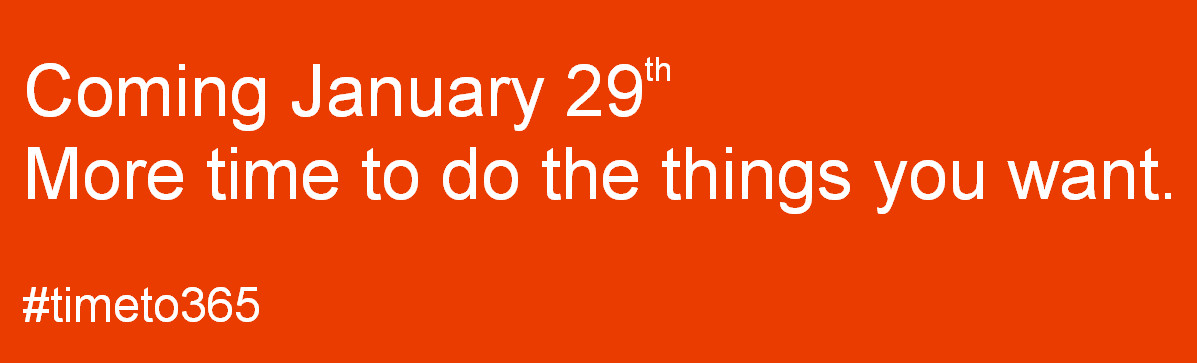
Office 2013 coming on jan29
Screenshot from Microsoft's teaser website
A few days ago, the Canadian retailer Future Shop leaked news that Microsoft will start to launch Office 2013 on January 29th. Now this piece of news has been confirmed by Microsoft. Based on the news from Microsoft-News, the company has launched a teaser website, from which we can see a slogan clearly: "Coming January 29th. More time to do the things you want". It's also confirmed that an event will be held in Bryant Park, New York City tomorrow.
Office 2013 event
An Office 2013 event to be held tomorrow
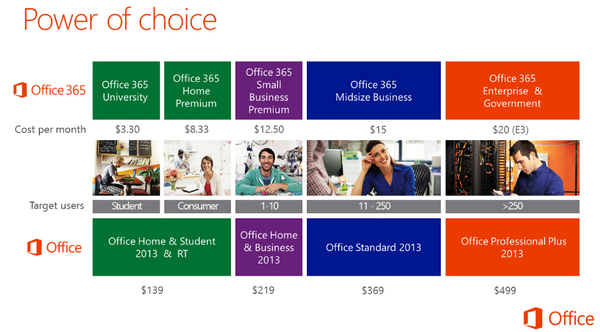
Microsoft has unveiled the prices of different Office 2013 versions previously: $369 for Standard version, $499 for Professional Plus version, $139 for Office Home & Student version, and $219 for Office Home & Business version.
Office pricing
Office 2013 pricing
Besides regular versions, Microsoft also launches a service named Office 365, which allows user to pay by year or by month. For instance, the Office 365 Home Premium includes the following Office tools: Word, Excel, PowerPoint, OneNote, Outlook, Access and Publisher. This suite provides one-year license for up to 5 computers. Moreover, the company provides 60 minutes of Skype world calling per month and 20 GB of additional SkyDrive storage. User needs to pay $8.33 / month or $99.99 / year for the service. 

For myself, perhaps I'll upgrade my Office 2010 to the newest version in a couple of weeks. Also hope to learn some new features of the PowerPoint 2013 and share new tutorials with you!


More Office 2013 tips and news:

Google Docs Drags Microsoft Office 2013 into the Battlefield

Thursday, January 24, 2013

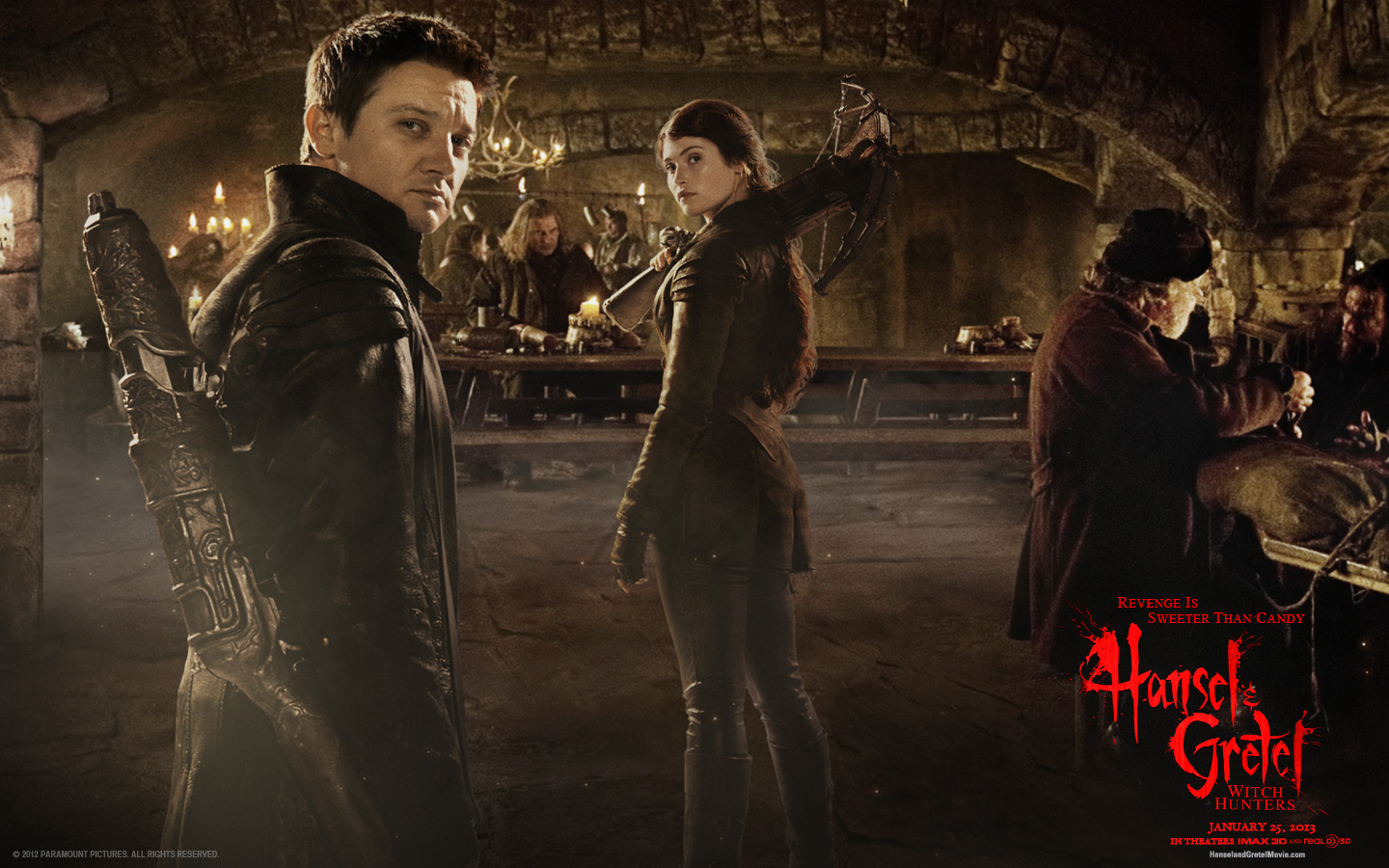
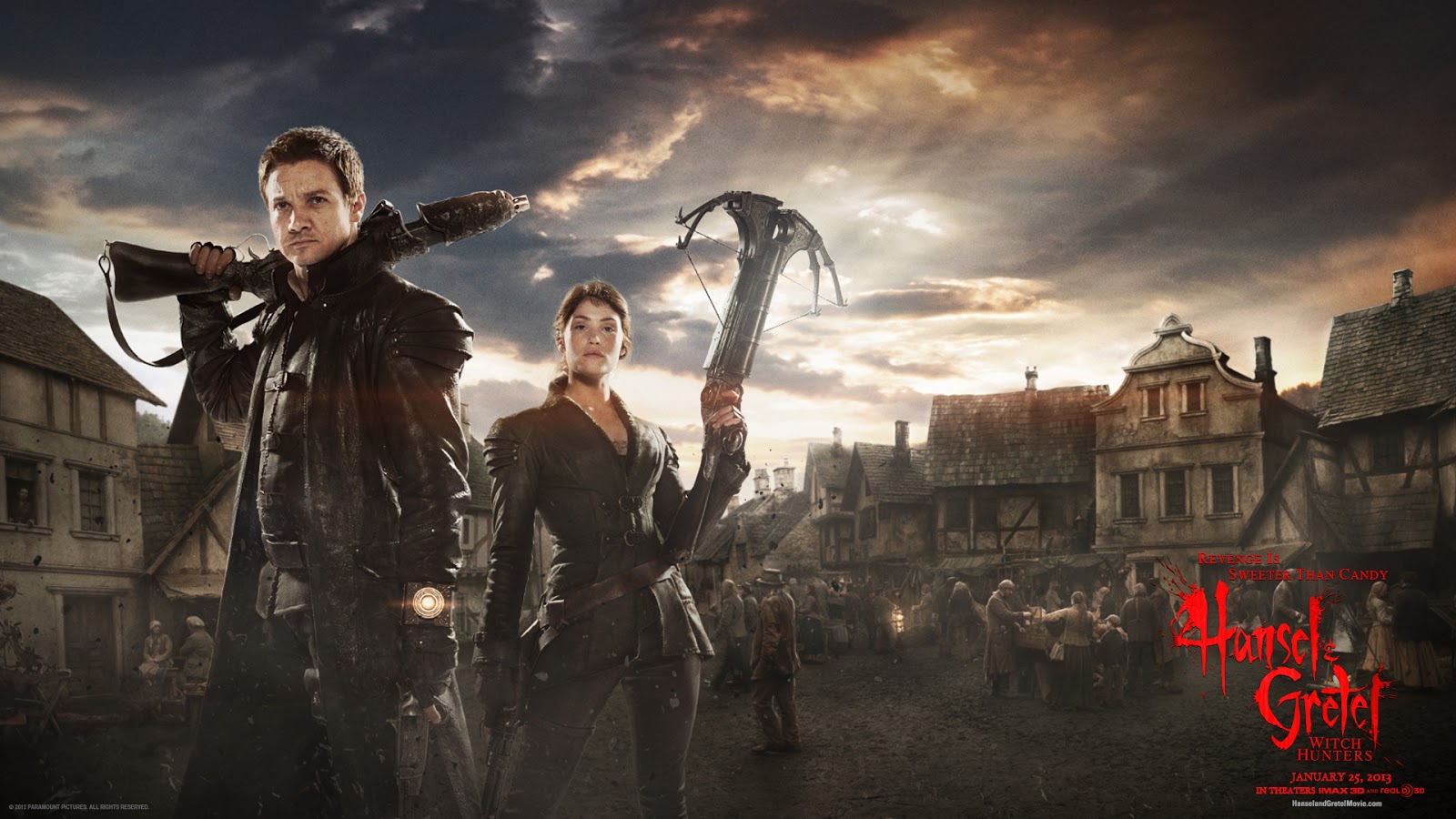
Wallpapers of the Movie: Hansel & Gretel Witch Hunters

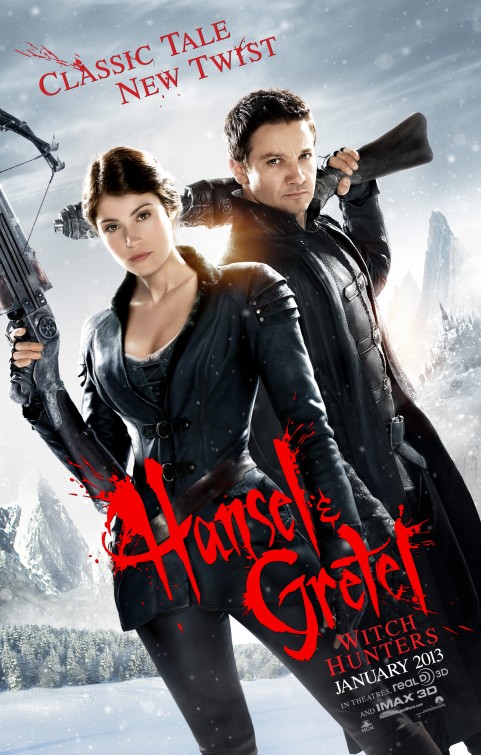
hansel and gretel witch hunters poster
Hansel & Gretel: Witch Hunters poster
Hansel and Gretel: Witch Hunters is an upcoming American action-adventure horror film. As the slogan says,"classic tale, new twist", it's a continuation to the fairy tale Hansel and Gretel by the Brothers Grimm. The movie is directed by Tommy Wirkola, stars Jeremy Renner (Hansel) and Gemma Arterton (Gretel).

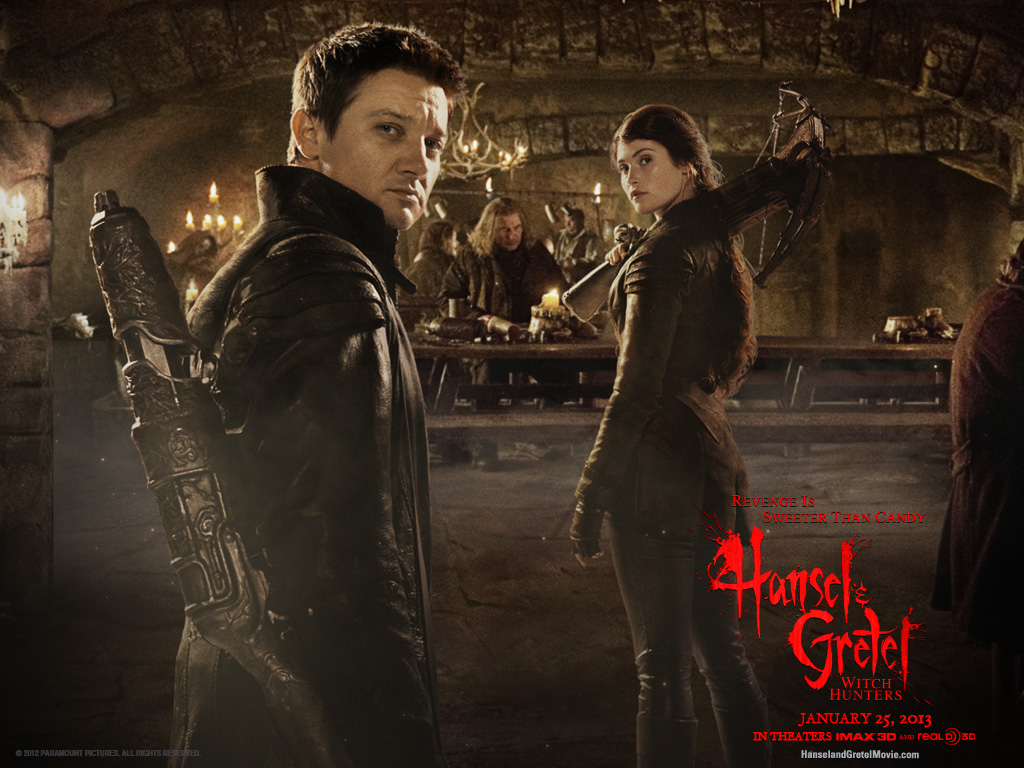
Hansel and Gretel: Witch Hunters will be released in 3-D and IMAX 3D tomorrow (Jan 25) in USA. Here I collect some official movie wallpapers in different resolutions, hope you like them. These wallpapers can also be used as PowerPoint backgrounds as well. Enjoy the movie!


Related: More free download PowerPoint backgrounds

Hansel and Gretel: Witch Hunters wallpapers 1024 * 768 pixels

hansel and gretel witch hunters wallpaper 1024*768 01
hansel and gretel witch hunters wallpaper 1024*768 02
hansel and gretel witch hunters wallpaper 1024*768 03
hansel and gretel witch hunters wallpaper 1024*768 04


Hansel and Gretel: Witch Hunters wallpapers 1440 * 900 pixels
hansel and gretel witch hunters wallpaper 1440*900 01
hansel and gretel witch hunters wallpaper 1440*900 02
hansel and gretel witch hunters wallpaper 1440*900 03
hansel and gretel witch hunters wallpaper 1440*900 04


Hansel and Gretel: Witch Hunters wallpapers 1440 * 900 pixels
hansel and gretel witch hunters wallpaper 1440*900

Hansel and Gretel: Witch Hunters wallpapers 1920 * 1080 pixels
hansel and gretel witch hunters wallpaper 1920*1080 01
hansel and gretel witch hunters wallpaper 1920*1080 02
hansel and gretel witch hunters wallpaper 1920*1080 03
hansel and gretel witch hunters wallpaper 1920*1080 04


Hansel and Gretel: Witch Hunters wallpapers 2560 * 1600 pixels
hansel and gretel witch hunters wallpaper 2560*1600 01
hansel and gretel witch hunters wallpaper 2560*1600 02
hansel and gretel witch hunters wallpaper 2560*1600 03
hansel and gretel witch hunters wallpaper 2560*1600 04

LinkWithin

Related Posts Plugin for WordPress, Blogger...